If you made comics in Dashtoon Studio and went back to find a closing notice, you read it right. The studio is gone. This is what closed, what still runs, and what to look for in the next place you make a comic. Everything about other tools here was read off their own sites in November 2026.
What closed, and what still runs
As of November 2026, dashtoon.com/create carries one notice: "Dashtoon Studio shut down on 15 August 2026 and is no longer available." The old studio addresses land on the same page.
After ten seconds the notice sends you on to Frameo, which it calls "our new platform for AI video and short drama". Frameo's own page is about video: ads, films and social content. It doesn't mention comics.
The reading side is still there. dashtoon.com still opens as a catalogue of comics to read. A few older pages on the site still describe the studio as if it were open; the notice is the one to go by. It also gives an address to write to about your account and your work, and that is the place to ask about anything you made there.
One thing to know before you pick a new tool: none of them opens a Dashtoon project. Panel & Ink has no import either. Wherever you go, you start the comic again from its idea and its cast.
What to look for in the next tool
Three things made a comic studio worth staying in. Ask each of the next tool.
- The same cast in every panel. A character who changes face between panels isn't a character yet.
- A series, not a single strip. Issue 2 should know what happened in issue 1.
- A finished issue you can hand to someone. Something a reader can open, not a folder of loose pictures.
How Panel & Ink does each
Panel & Ink is an AI comic studio built around a series. You type one idea, it writes each issue as a script you read first, and then it draws every panel. Here is how it answers the three.
The same cast. Every regular gets a portrait before the first issue, drawn from a photo or from your description. Each panel they appear in is drawn from that portrait, with their description in the panel's drawing directions. How to keep a character looking the same in every panel walks through it.
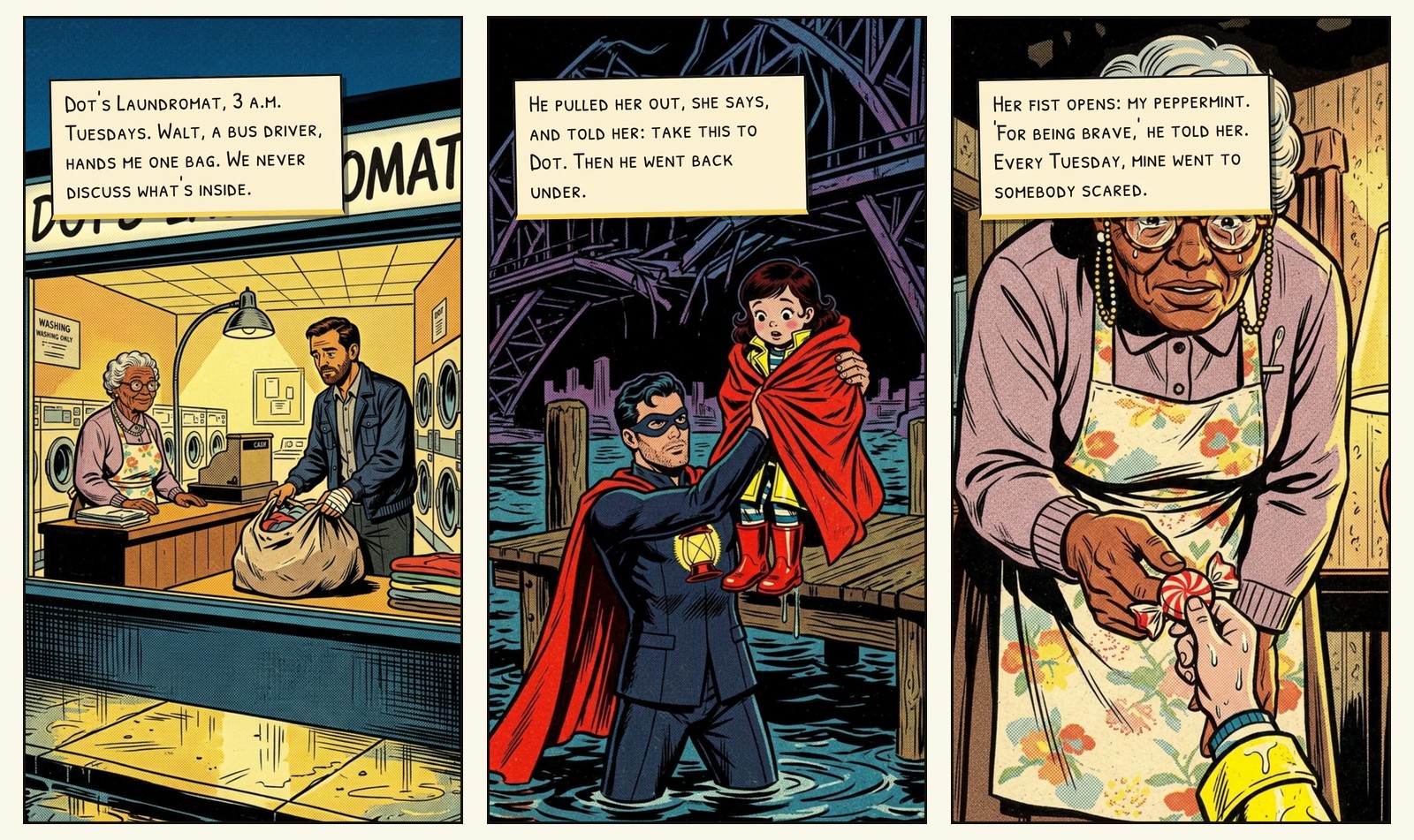
Our own comic, Wash & Fold, shows it. This is Dot in issue 1, and Dot again in issue 3, out of the laundromat and in a raincoat:
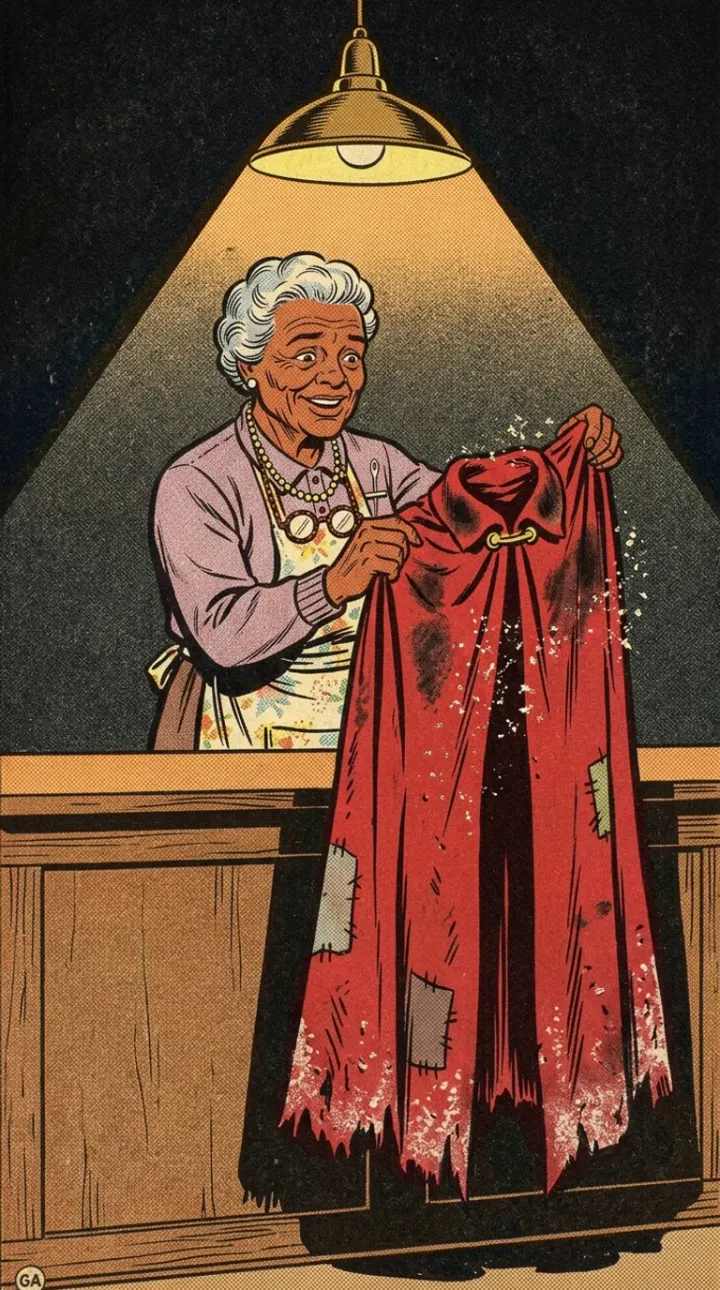
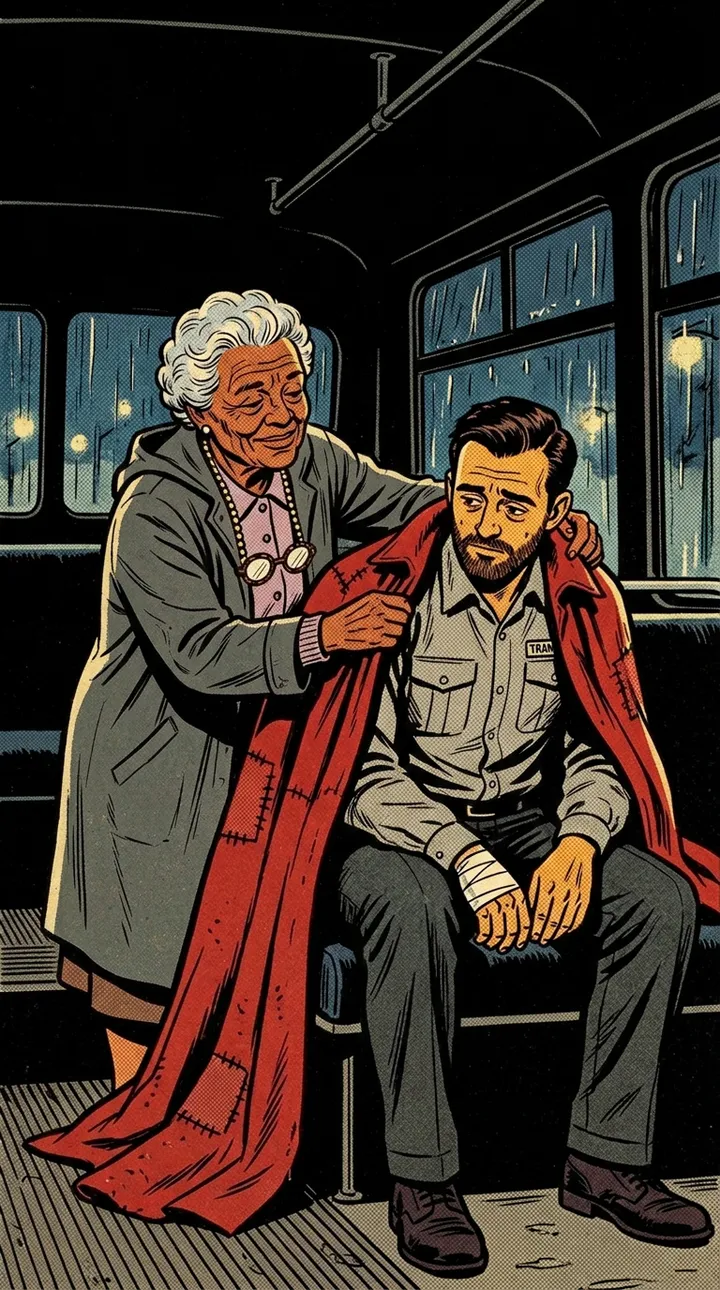
A series. An issue is six to eight panels. The next issue belongs to the same comic: the cast keep their portraits, the look stays the look, and the writer reads what the earlier issues established before it writes the new one. How to start a webcomic you'll still be making in a year is about choosing an idea that can carry that many issues, and the webcomic page has premises to borrow.
A finished issue. Each panel carries a lettered caption, and a panel can carry one speech balloon. A narrator reads the issue aloud. A finished issue downloads as a narrated video, as its panels in a zip with the captions, or as printable pages. It can also be shared by link, as a page anyone can read.
What it doesn't do
Panel & Ink is not a canvas. You don't drag panels around a page or place a balloon by hand. You direct instead: read the script and change it, ask for another take of a panel, or type what should change in one. If laying out the page yourself was the part of Dashtoon you loved, one of the tools below will suit you better.
Two other places to look
Both of these are real options, described in their own words as of November 2026.
- Anifusion says it turns "your story into manga pages with built-in layouts, characters, speech bubbles, and editing tools", and that you can "choose from comic panel presets or build your own layout". If you want your hands on the page, start here.
- ComicInk describes a comic maker "that keeps your characters the same on every page" and lists "multiple issues, story arcs and one persistent world". It makes films from a prompt as well.
Try your own idea in each one before you settle. A tool that suits a manga page may not suit a bedtime story. For a longer list, the best AI comic generators compared sorts more of them by what you want to make.
Where to start
Bring the idea you were making, in a sentence or two, and the two or three details each character can't lose. Then pick a look from the looks wall; Wash & Fold is drawn in Silver-Age Halftone. If you'd like a fresh premise instead, the ideas pages have them by genre, each a button away from a comic.
What it costs
An issue on a standard look runs about 20 credits. A new account starts with 35 credits, enough for your first issue on a standard look, and they last 14 days.
Make your first issue: the same cast, in a comic that has an issue 2.


